
Workflow automation
Workflow automation that takes the re-typing off your plate
Every business has jobs where information arrives, someone reads it, and types it into somewhere else. We automate those jobs end to end for Yorkshire businesses, with an AI model doing the reading where the inputs are messy and the errors handled rather than ignored.

What it is
In plain English
Workflow automation connects the software you already run so information stops being re-keyed between it. An enquiry from the website lands in the CRM, qualified, with a draft reply waiting. An approved quote becomes a job in the job system and an invoice in the accounts package. A supplier invoice is read, matched to its purchase order and queued for payment.
The AI part is what makes this work on real inputs rather than tidy ones. Ten years ago an automation broke the moment someone attached a PDF instead of filling in the form. Now the model reads the PDF, the photo of the delivery note, the email that says “same as last time but twenty of them”, and turns it into clean data the rest of the workflow can use.
We build on Make.com, n8n and Zapier depending on the job, always in your own account so you own the thing afterwards. We’ve compared the three platforms honestly, including when you should just use Zapier yourself.
Good for
The jobs it's built for
-
Enquiry to CRM
Web form, email or phone note in; qualified lead, logged and assigned, with a draft response out. Nothing falls down the gap.
-
Quote to invoice
The approved estimate creates the job, the order and the invoice without anyone retyping the line items three times.
-
Supplier invoices
Read, matched to the PO, coded for the accounts package and queued. Mismatches go to a person with both documents side by side.
-
Reporting
The Monday numbers pulled from four systems into one page, with a plain-English summary of what changed, before anyone’s at their desk.
-
Compliance records
Checks, certificates and renewals tracked, chased before they lapse and filed where the auditor expects to find them.
-
Content and outreach
Research, first drafts and follow-ups produced on a schedule for a person to approve. We built a whole content engine this way.
When we'd say no
What it isn't for
If the job runs twice a month and takes ten minutes, it isn’t worth automating and we’ll say so. The sum is simple: hours a week, times the cost of the person, times forty-eight, against the build cost. If it doesn’t pay back inside a year, we’d rather not take your money.
And if the job involves real judgement at every step, a workflow will frustrate you. That’s an agent’s job.
Cost and timescale
What it costs
A single workflow automation typically costs between £1,500 and £6,000 to build. Three systems with clean data sits at the bottom of that range; five systems and PDFs scanned sideways sits at the top. Running costs are a platform subscription and a small amount of model usage, usually £20 to £150 a month all in.
Most are live in two to four weeks. We fix the scope, build it, measure it, and only then talk about the next one. “While you’re in there” is the most expensive phrase in software and we’ll gently decline it.
Where we work
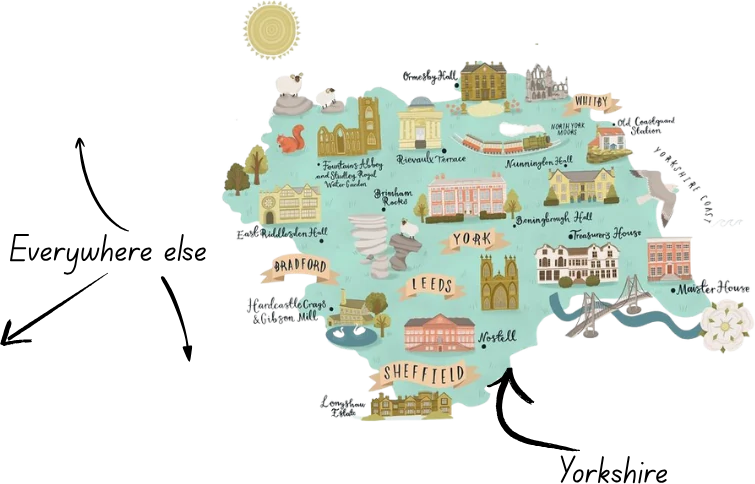
Workflow automation across Yorkshire
We’ve automated workflows for manufacturers along the M62 from Huddersfield to Leeds, for trades and construction firms in Bradford and Wakefield, for agencies and professional services in Leeds and York, and for a marketing agency in Munich that found us anyway. Being in Yorkshire means we can sit in your office for a morning and watch where the paper actually goes, which is where every good automation starts.
Questions we get asked
Straight answers
Which automation platform do you use?
Mostly Make.com, because it balances power with a visual canvas a client can read. n8n where the volume is high or the data needs to stay on your own infrastructure. Zapier when the job is simple enough that you should build it yourself, in which case we’ll tell you that instead of quoting.
Do we need to change our software?
Almost never. The point is to connect what you’ve got. Xero, QuickBooks, HubSpot, Google Workspace, Microsoft 365, Shopify and most modern tools connect in minutes. Older software with no API can usually be driven by screen, which we’ll price honestly.
What happens when it breaks?
Every automation breaks eventually, because the apps it connects change. Ours are built with alerts so you hear about it before a customer does, and we offer a small monthly retainer or pay-as-you-go fixes. Anyone who says it’ll run forever untouched hasn’t run one for long.
Who owns the automation?
You do. It’s built in your Make, n8n or Zapier account, on your subscription, with your login. We have access because you granted it, and you can take it away.
How is this different from the AI features in our existing software?
Those features help within one product. The problems that cost you most sit between products, where a person is the integration. That gap is what we automate.
Proof, not promises
Things we've built like this


Next step
Got a job in this shape?
Tell us what's eating your week. You'll get an honest view on whether this is the right fix, what it would cost, and when it isn't worth doing. Half an hour, no obligation, no sales script.
Worth a read
Before you decide

Make vs n8n vs Zapier: which automation tool to pick
A Yorkshire automation firm's honest comparison of Make.com, n8n and Zapier for UK small businesses: where each one wins, where it bites, and how to choose in five minutes.
Read it
What AI automation actually costs a UK small business
Honest price ranges for workflow automation, AI agents and bespoke AI software from a Yorkshire firm that builds them, plus the running costs nobody mentions in the pitch.
Read it
Seven jobs an AI agent can do for a Yorkshire business
From Sheffield engineering firms to Bradford care providers and Leeds professional services: the everyday jobs AI agents are actually good at, and the ones to leave alone.
Read it